Migrate Sitecore XP to Sanity in Days
Stuck on Sitecore XP with an aging license and failing VMs? For content-driven sites, the migration to Sanity takes days, not quarters. Here is the technical path, with code.
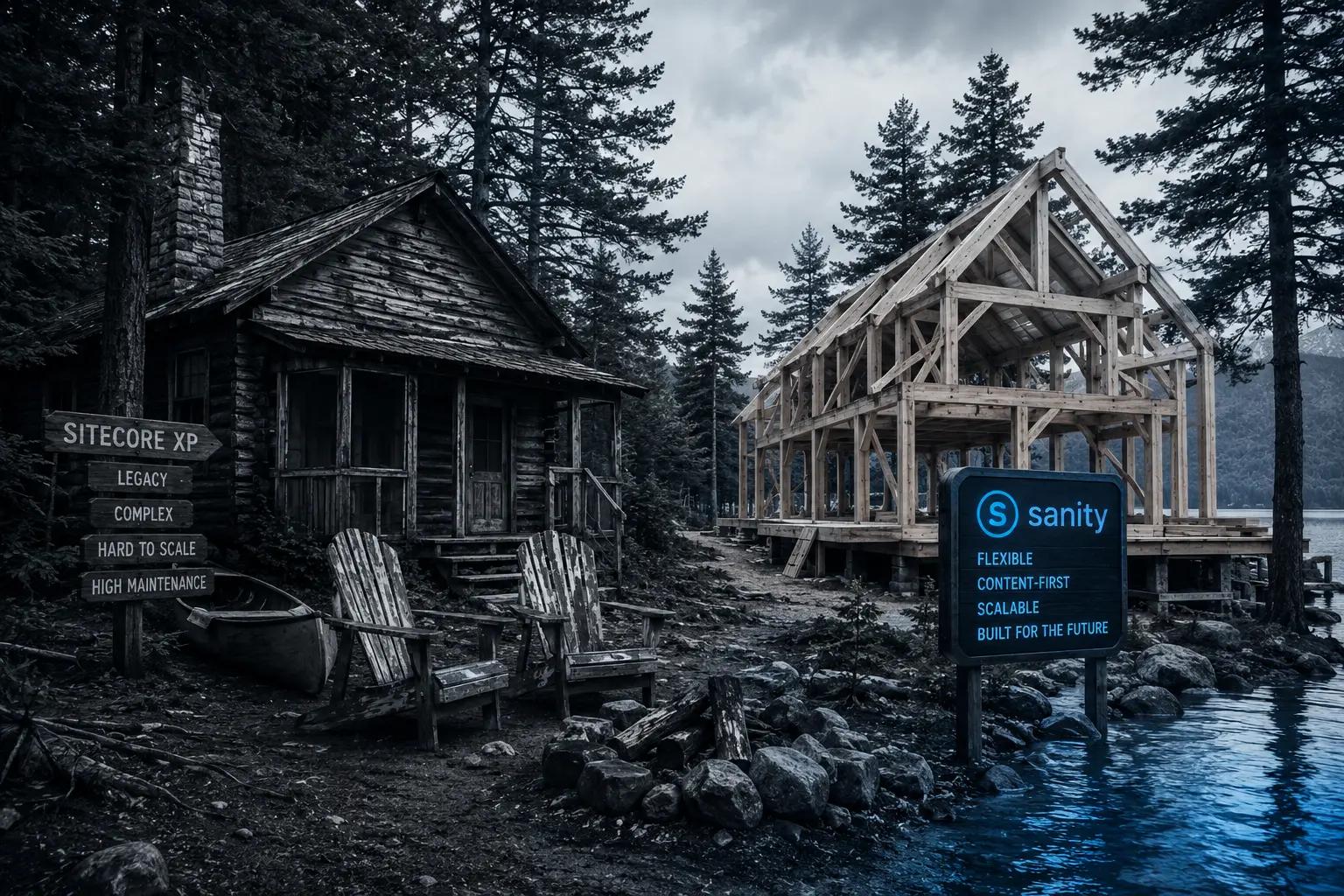
Drive the back roads near where I live and you will pass old Adirondack camps that have outlived their purpose. The owners keep them standing out of habit. Every spring brings another roof patch, another jacked-up sill, another check written against a structure that no longer fits how anyone lives. Nobody decides to keep the old camp. They simply never decide to leave it.
I have watched organizations do the same with Sitecore XP. The license renews because it renewed last year. The virtual machines get patched because they got patched last quarter. And the site itself, often a straightforward content-driven site that never used a fraction of the platform, keeps consuming enterprise money.
If that describes you, this post is the actual technical path out. For a simple content-driven site, migrating from Sitecore XP to Sanity is measured in days, not quarters. Here is how we do it at HT Blue.
The Weight You Are Carrying
An XP estate is heavy by design. A typical implementation runs a content management server, one or two content delivery servers, SQL Server with core, master, and web databases, a Solr cluster, and xConnect services nobody has looked at in years. Those VMs were sized in a different decade. They are expensive to run, slow to patch, and increasingly fragile, and every one of them sits in the critical path of publishing a paragraph of text.
The support picture has hardened too. Since June 1, 2026, Sitecore Extended Support no longer includes security updates or production incident support without a separate paid arrangement. If you are on XP 10.0 or 10.1, Extended Support itself ends on December 31, 2026, and after that security patches are not available at any price. Only 10.4 remains in mainstream support, and that runs through the end of 2027. The DXP Scorecard review of Sitecore XP describes the platform as being on a defined sunset trajectory, with new vendor investment flowing to SitecoreAI.
So the roof needs patching again, and the patches now cost extra.
First, Be Honest About What You Have
This path is for content-driven sites. If your XP implementation leans hard on xDB personalization rules, Marketing Automation plans, EXM campaigns, or deep commerce integration, that is a different conversation, and anyone promising you a migration in days is selling you something.
But after three decades of implementation work I can tell you what the license invoices never mention: most XP sites are content sites with a very expensive engine idling underneath. Pages, articles, a handful of listing components, a search box, a contact form. If that is your site, everything below applies to you, and the timeline is real.
Step One: Your Templates Become Sanity Schemas
A Sitecore template is a content model, and content models travel well. Open your templates folder and look at what you actually built. An Article Page with a title, a summary, a rich text body, a hero image, and a few droplinks. That structure maps almost one to one onto a Sanity schema type.
The translation table we use on nearly every migration:
- Single-Line Text and Multi-Line Text become string and text fields
- Rich Text becomes Portable Text, an array of blocks
- Image and File become image and file fields
- Droplink and Droptree become a reference
- Multilist and Treelist become an array of references
- Checkbox, Date, and Datetime become boolean, date, and datetime
import {defineField, defineType} from 'sanity'

// Mirrors the Sitecore "Article Page" template
export const articlePage = defineType({
  name: 'articlePage',
  title: 'Article Page',
  type: 'document',
  fields: [
    // Was: Single-Line Text
    defineField({name: 'title', type: 'string', validation: (rule) => rule.required()}),
    // Was: Multi-Line Text
    defineField({name: 'summary', type: 'text', rows: 3}),
    // Was: Rich Text
    defineField({name: 'body', type: 'array', of: [{type: 'block'}, {type: 'image'}]}),
    // Was: Image
    defineField({name: 'heroImage', type: 'image', options: {hotspot: true}}),
    // Was: Droplink to the Authors folder
    defineField({name: 'author', type: 'reference', to: [{type: 'person'}]}),
    // Was: Treelist of topic items
    defineField({
      name: 'topics',
      type: 'array',
      of: [{type: 'reference', to: [{type: 'topic'}]}],
    }),
  ],
})
Base templates translate cleanly as well. Where Sitecore used template inheritance to share metadata sections, we define a reusable object, an seoFields object for instance, and compose it into each document type. The same discipline, with far less ceremony.
Step Two: Renderings and Data Sources Become a Page Builder
Your presentation details already describe a component system. Every XP page is a layout plus renderings, and each rendering points at a data source item. That pattern, a page assembled from typed component instances, is exactly what a Sanity page builder is. The difference is that component data lives inline on the page document instead of scattered through a Data folder that only your senior developer can navigate.
For each rendering actually used in production, we define an object type and add it to a page builder array:
// Was: "Hero Banner" rendering plus its Hero data source template
export const hero = defineType({
  name: 'hero',
  title: 'Hero',
  type: 'object',
  fields: [
    defineField({name: 'heading', type: 'string'}),
    defineField({name: 'subheading', type: 'text', rows: 2}),
    defineField({name: 'image', type: 'image', options: {hotspot: true}}),
    defineField({name: 'ctaLabel', type: 'string'}),
    defineField({name: 'ctaHref', type: 'string'}),
  ],
})

// The page document replaces layout details, placeholders, and renderings
export const page = defineType({
  name: 'page',
  title: 'Page',
  type: 'document',
  fields: [
    defineField({name: 'title', type: 'string'}),
    defineField({name: 'slug', type: 'slug', options: {source: 'title', maxLength: 96}}),
    defineField({
      name: 'pageBuilder',
      title: 'Page Sections',
      type: 'array',
      of: [{type: 'hero'}, {type: 'richTextSection'}, {type: 'cardGrid'}, {type: 'ctaBanner'}],
    }),
  ],
})
On the front end, the rendering engine becomes a component map. Where XP resolved renderings through the layout service, a Next.js site resolves them with an object lookup:
const components: Record<string, React.ComponentType<any>> = {
  hero: Hero,
  richTextSection: RichTextSection,
  cardGrid: CardGrid,
  ctaBanner: CtaBanner,
}

export function PageBuilder({sections}: {sections: Section[]}) {
  return (
    <>
      {sections.map((section) => {
        const Component = components[section._type]
        return Component ? <Component key={section._key} {...section} /> : null
      })}
    </>
  )
}
When we audit a typical XP site we find fifteen to twenty-five renderings in real use, and half are variants of the same three patterns. We consolidate as we go. The component library that comes out the other side is smaller, cleaner, and something your team can actually test.
Step Three: The Content Tree Becomes Routes
Editors think in trees, and URLs are trees. In XP, the content tree under Home defines your URL structure. Sanity does not impose a tree, which unsettles Sitecore veterans at first, so we preserve the mental model in two places.
First, slugs carry the full path. A page that lived at Home/Services/Consulting becomes a document whose slug is services/consulting, and routing collapses to a single GROQ query:
*[_type == "page" && slug.current == $slug][0]{
  title,
  pageBuilder[]{
    ...,
    image{..., asset->}
  }
}
With Next.js, generateStaticParams walks every slug and prerenders the entire site. Pages that XP assembled in two to five seconds on a warm cache are served as static HTML from a CDN edge in tens of milliseconds. Publishing stops being a queue you watch and becomes a webhook that rebuilds only what changed.
Second, we shape Sanity Studio to mirror the tree your editors know:
// Mirror the old content tree in Studio navigation
export const structure: StructureResolver = (S) =>
  S.list().title('Content').items([
    S.listItem().title('Home').child(
      S.document().schemaType('page').documentId('home')
    ),
    S.listItem().title('Services').child(
      S.documentList()
        .title('Services')
        .filter('_type == "page" && slug.current match "services/*"')
    ),
    S.listItem().title('Articles').child(S.documentTypeList('articlePage')),
  ])
An editor who spent years in the Content Editor opens this Studio and knows where everything is by the first morning. That familiarity matters more to adoption than any feature list.
Step Four: Moving the Content Itself
Extraction is the part people fear, and it is the most mechanical. Sitecore PowerShell Extensions can walk your tree and serialize every item to JSON in an afternoon:
# Sitecore PowerShell Extensions: serialize the tree to JSON
$export = Get-ChildItem -Path "master:/sitecore/content/Home" -Recurse | ForEach-Object {
    $item = $_
    $fields = @{}
    $item.Fields | Where-Object { $_.Name -notlike "__*" } | ForEach-Object {
        $fields[$_.Name] = $_.Value
    }
    [PSCustomObject]@{
        id       = $item.ID.Guid.ToString()
        path     = $item.Paths.Path
        template = $item.TemplateName
        fields   = $fields
    }
}
$export | ConvertTo-Json -Depth 6 | Out-File "C:\export\content.json" -Encoding utf8
A transformation script then maps template names to document types, converts rich text HTML into Portable Text, rewrites internal links from Sitecore GUIDs to Sanity references, and derives slugs from item paths. Media library assets are downloaded and re-uploaded through the Sanity assets API, with image references rewritten along the way. The result is a newline-delimited JSON file that imports in one command:
npx sanity dataset import content.ndjson productionFor a site with a few thousand items, the whole sequence breaks down like this: a day for schemas and Studio structure, a day or two for front-end components, a day for extraction and transformation, and a day for import, link rewriting, and QA. Days, as promised. Not because the work is trivial, but because every step is deterministic.
What Your Editors Gain
The authoring experience improves in ways your editors will notice by lunch. No more Experience Editor pages that take thirty seconds to load. No more item locking, no more publishing from master to web and waiting for the Solr index to catch up. Sanity Studio gives them real-time collaborative editing, full revision history, and instant publishing. With the Presentation tool, they click any component on the rendered page and edit it in place, which is the experience the Experience Editor always promised and rarely delivered on aging infrastructure.
The Economics Are Difficult to Believe Until You See the Invoice
Add up what the old camp actually costs. A six-figure XP license renewal for many organizations. The VM estate, with SQL Server licensing riding along. Solr maintenance. The patching labor. And now, paid security support just to stand still in Extended Support.
Against that, a content-driven site on Sanity runs on a free tier or a per-seat plan priced like a software subscription rather than an enterprise platform. The static front end hosts on Vercel, Netlify, or Cloudflare for tens of dollars a month, and sometimes for nothing at all. This is not a discount. It is a different order of magnitude, and it is why the capital allocation question matters more than any feature comparison. You are not choosing between two platforms. You are choosing between funding infrastructure and funding your roadmap.
Built for the Next Thirty Years, Not the Last Ten
The camps that endure in the mountains are not the largest ones. They are the ones built simply, on solid ground, from materials the owner can maintain. A content-driven site on Sanity with a static front end is that kind of structure. Fewer moving parts, no servers to nurse, a content model your team fully understands.
If you are holding an aging XP license and a rack of tired VMs, have someone scope this honestly. At HT Blue we have run this playbook enough times to tell you within one conversation whether your site is a days-scale migration or something longer, and we will tell you the truth either way. The old camp served you well. You do not owe it another roof.
- Sitecore XP
- Sanity
- CMS Migration
- Headless CMS
- Composable DXP